
Damn, that is frustrating! I had a rather extensive shopping list that I had built with categories such as Bread:, Meat:, Veg:, etc. and then the various sub items, such as Veg:Onions, Veg:Tomatoes, etc. The only frustrating problem with that list was that it didn’t keep my “alphabetize list” option and I would have to re-sort each time before I used the long list.
Then I started getting messages that My List would be switched to Google Assistant (I think that was what it was being switched to.). I didn’t think anything of it because it was a simple program that kept a list that I could sort easily. It was very useful! WAS very useful!
It finally was switched yesterday, and the new list looked different, and since there were so many items in the list, it was useless to have them unsorted (not alphabetized). But, I couldn’t find the alphabetize option. Instead of telling me directly that the new program couldn’t handle a simple sort (alphabetize), it cheerfully told me that I would have to copy my list and put it in another app and sort there, and then copy it back. Well, that’s moronic!!! That would make the new list app useless.
But I see they have a simple solution for that. I can no longer find my list. I’ll create something, or find another list app that works and leave this Google Shit behind.
NOTE [ 12/07/23 ]: I found another app quickly, and scheduled it to be installed. But, as I waited, I noted that the reviews for this new app stopped about 2021. So, I went looking for another app, but came across the option for a To Do List template in Google Sheets.
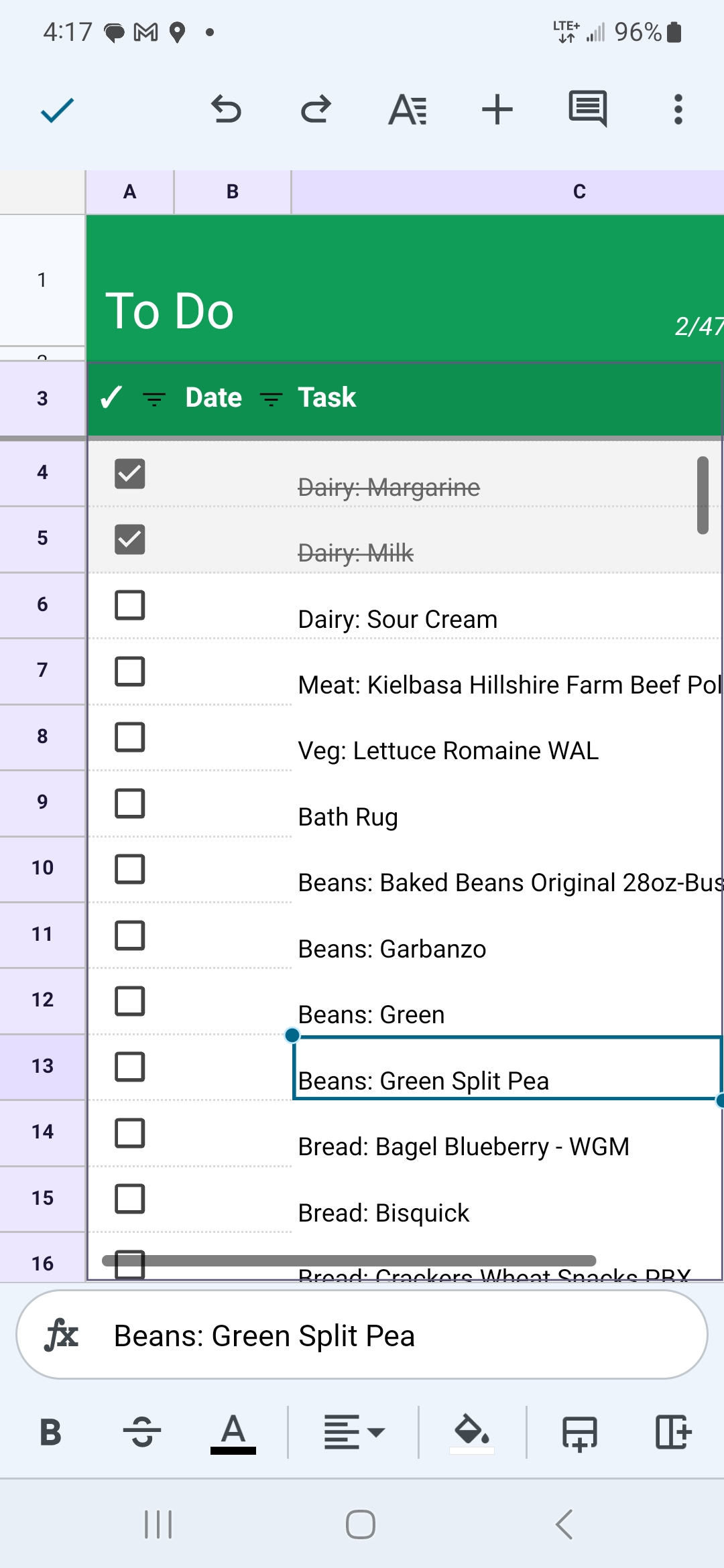
I saw that the Google Sheets To Do List should accomplish my needs and I entered a couple of items manually. I then looked for a way to import my old list into this Google Sheet. I managed to copy the old list into the new format. I then found how to change the font & font size once the old data had been pasted into the Sheet. I removed all the strikethrough text that had come over, and then used Search/Replace to clean-up the categories & some other existing ragged text.
I am able to use both the Google Sheets interface and the Google Sheets interface on my Android (Samsung) phone. It worked fine and I was able to check off the items, via my phone, as I put each in my shopping cart.
Okay, so if Google can screw up a simple app, what is to keep them from screwing up Google Sheets? Not a damned thing. I have seen this happen with other apps throughout my technical career. Not all later versions of a program or app were necessarily better, and depending upon the direction that the owner or programmer wanted to go, the useful functionality or even the whole program might be abandoned. Painter was a powerful graphics program, but after it was sold, twice I think, the last owner decided to abandon the graphics program to pursue their video interests.
WordPress took away certain functionality that made the pages less attractive.
 Bill Gibson, II