ePortfolio Initiative using WordPress

 ePortfolio Initiative using WordPress

The WordPress application is a popular “blogging” tool which is powerful enough to be a CMS (Content Management System) and can easily be used to create professional looking web sites.

Some reasons why the WordPress software makes a good eportfolio application:

WordPress.com currently gives 3 GB of space to each account.

    • You can create more than one blog/web site under your account.
    • Sites have names have the following syntax: “sitename.wordpress.com”
  • A site may be hosted on WordPress.com, or at other WordPress hosts, or the WPMU (multi-user version of WordPress) application may be hosted on your own servers.
    • Having a student host their site with WordPress.com, or some other 3rd party location, means that when the student leaves the institution, the institution does not have to maintain or archive their site. *The site is something that the student may choose to continue to use, or delete.
    • Running the application on an institutional server provides the flexibility of added features, of which there are many.
  • There is a low learning curve for learning how to use the application.
    • A user can quickly learn how to create posts or pages on their site.
      • The post/page creation tools look much like those in MS Word.
        • There are special buttons for uploading/attaching media files to the postings/pages.
          • PDF, DOCX, PPTX, XLSX, MPG, etc.
      • It is easy to create links to external and internal documents.
      • Posts can be published directly from MS Word 2007 (as drafts or live postings).
      • Posts can be published directly via email.
  • Because the WordPress application was initially a blogging tool, it is perfectly suited for presenting a running dialogue sequentially.
    • Each posting (an article, comment, reflection, etc.) can be categorized (multiple categories may be chosen for a single posting) so that all postings under a specific category may be viewed as a whole.
    • Some categories might include: “community service”, “daily journal”, “reflection”, “extra curricular”, etc.
  • Applying a “theme” to the site, easily changes the “look and feel”.
    • There are thousands of free themes. *Not all themes are appropriate or will work well with an eportfolio layout.
    • Applying a theme provides some individuality while maintaining sufficient structure for effectively presenting the necessary materials.
  • Individual documents may be password protected.
    • The user could password protect their resume so that only those viewer with the correct password could view/download their resume.
  • The entire site may be made “private” and only select users granted access to it.
    • Up to 35 users may be granted access. More users are available by upgrading site.
    • Each user must have a valid WordPress.com account.
      • Users do not need to create a blog site, just an account to be applied to other sites for access.
  • The software maintains a document history. All changes to documents are recorded so that the user can revert to a previous/earlier version of a document. It is also easy to compare two versions of the same document.
  • Site content is easily exported for archival purposes, or for porting to another WordPress site. *All site text content is exported as a single XML file.
    • Students and faculty could share course or project templates that are used, but become eportfolio “proofs”.
  • It is easy to create a site template which includes pages, posts, categories and documents, which may be imported into a student’s site.
    • There could be a generic eportfolio for entering Freshmen which could be used until the student declares a major.
      • An eportfolio site might be encouraged as a “recruitment” tool. Suggesting that potential students create an eportfolio site with the “generic” template before entering the institution.
    • An additional eportfolio template that has curriculum (major) specific pages, posts, categories and documents could be applied to the generic site, thereby fostering a continuity to the process.

Specific pages could be made invisible or deleted as necessary when they are no longer beneficial.


Chicken – Chipotle Soup

This is a very simple soup, but I knew the first time that I had it that it would be something I would fix again and again.

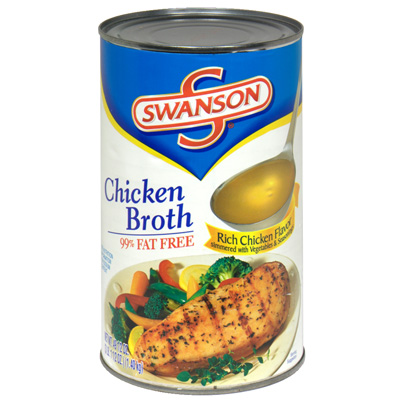
— A couple of cans of chicken stock.

— Some diced chicken (boneless)

— Two or three chipotle peppers (wash off the adobo sauce)

— Several slices of avocado (per person).

Perhaps a little oil in the pot to start browning the chicken.  Throw in the chipotle peppers and mix with the chicken, but try not to break the peppers (some will even want to remove the peppers before serving, but I like them).  Once browned, pour in the chicken stock and heat to a boil.

Once you’re sure the chicken is cooked through and the stock is piping hot, you can remove from the heat and remove the chipotle peppers (if desired).

Slice the avocado into bite sized pieces and put in separate serving bowls.  Pour in the soup and serve quickly.  The avocadoes will start to break down quickly.  The heat of the stock and the chipotle peppers is offset by the cool butteriness of the avocado.


[NOTE 01/30/24]:  Fifteen years, and I am still making this soup.  Although I still like the basic four ingredient version of this soup, I just fixed a delicious version where I added white rice, orange bell pepper, jalapeno, poblano, a couple of smashed garlic cloves and onion to the chipotle & chicken.  I also seasoned with cumin, cayenne, red pepper flakes, dried cilantro leaves and a little lime juice.  *In the past, I have added fresh cilantro leaves, and maybe even corn kernels.  I recall at least once the extra items did not make this soup better, or even as good, so I went back to the basic ingredients.

My combination of extra ingredients & spices this time “was a winner.”  I like a spicy soup, although as I have said at other times, I don’t want a really hot pepper that has no flavor.

I think the rice was a good addition.  It helps cool the chipotle spiciness, as does the avocado.

*Oh, to mention it here also… I used the canned chicken breast (size of a tuna can) today.  I pour in the water that comes in the can of chicken.  But, I have found if I have some white meat left over from a whole roasted chicken (that I get from Publix), I can shred that and use it instead of the canned.

[end NOTE]

[NOTE 05/04/24]:  I just tried this soup with some sliced polenta in it.  It works really well. [end NOTE]


2 Ingredient Ranch Pickles

Curried Apple Soup

granny_smith_apples
Granny Smith Apples

Apparently, “Trillium a Bistro” is no more in trilliumabistrologoAsheville, NC.  It has been several years since I made one of my Spring jaunts to visit Asheville stopping at Trillium, visiting the Grove Arcade to purchase a special balsamic vinegar, and then on to the Farmer’s Market for assorted cheeses, fingerling potatoes and a hand or two of ramps.

swansons_chicken_stock
Swanson’s Chicken Broth

I probably visited Trillium early in it’s history, when Leisa Payne was still developing her creative chef juices there, before leaving.  Okay, okay, I don’t know her at all.  I may have caught a glimpse of

dodge&trillium-location
Dodge RAM 1500 & Old Trillium Location

her sticking her head out from the probably small kitchen, talking to the wait staff.  But, without her knowing it, she provided my table with a recurring joy.  Curried Apple Soup.

I remember the soup, with chicken, as having a deep redness.  Something which I have never approached.  I have developed a bright orange color, and the flavor satisfies my memory, but I’m not sure I have ever come near to how Leisa prepared this soup.

The soup is delicious both hot or cold.  Adding a dollop of sour cream is a nice touch.  *Thinking just now, a sprig of some type of fresh mint might top it off nicely.

Here is how I remember the recipe that I have used repeatedly.  I normally do not add chicken.

— A couple of Granny Smith apples cored, peeled, and a large dice.

— A couple of carrots diced.

— A stalk of celery diced.

— Half a medium onion diced.

— Small can of peeled diced tomatoes.

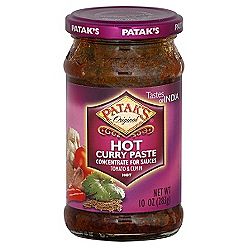
— Curry paste (Patak’s to taste, about a table spoon. )

— A sprinkle of Mace (too much will make the soup bitter)

— A small amount of ground Cloves (not too much)

— Some flour mixed with water and the curry paste to thicken the soup

— A couple of cans of chicken stock (use vegetable stock for vegetarian version, add extra water if ingredients are too dry)

— Several teaspoons of sugar or brown sugar (sweeten to taste)

In a 2 quart sauce pan, add a little oil when you start to saute the apples, onion, celery and carrots.  After they start to become aromatic, add the curry paste/water/flour mixture and stir in.  Before it gets too dry and starts to burn, add the  chicken stock and then the tomatoes, sugar and other spices.  Bring to a boil, then turn down the heat to a light simmer and cover for about 20 minutes until the apples & carrots have softened.

pataks_curry_paste
Patak’s Hot Curry Paste

Now, here is why it doesn’t matter how well you dice and chop in the beginning (as long as all the bits are tender at the end):  Pull out your stick blender (you should have one of these) and pull the pot off the fire and start blending the soup in the pot.  Be careful so that the hot liquid does not slurp or splash over the edge and burn you, or make a mess.  But, just keep blending until there are no chunks in the soup (carrots may hold on to the very end) and it is a beautiful smooth orange color.

I’ll admit to having a sweet tooth, so I may add way too much sugar.  I may also add way too much curry.  But, the end result is a soup… hot or cold that gives a bite, but the burn quickly goes away.  This is not like a pepper hot which lingers on the tongue.

ADDENDUM [01/06/22]: I’ve always remembered this soup as being a darker red color and have never been able to have it turn out that way. I was just looking at some images of curried soups and noted a few with a dark red color. One of them had Smoked Paprika as an ingredient. Now, I don’t remember a Paprika flavor to the soup, but it might have had it, and I do know that some Chorizo & Garbanzo Bean Soup that I have made did have a dark, almost ruby red color due to the large amount of Smoked Paprika that I added to the recipe. It may be worth a try to add either Paprika or Smoked Paprika to this soup.

The above is not the Curried Apple Soup, but the color that I want the finished soup to look like.


NOTE [10/02/22]: I was going another way with a recipe today… I saw a pumpkin & lentil recipe online. I thought I had a can of pumpkin, but either did not have it, or could not find it. I did see a can of yams (sweet potatoes). These were largely chopped, but well cooked.

I added onion and then the yams. I added smoked paprika, turmeric, curry powder & paste, S&P. I added red lentils. I added some ground coriander, and ginger, mace & cloves. I added a couple of small tomatoes and a stalk of celery chopped. I then realized I was going more toward the Curried Apple Soup, and chopped up Granny Smith apple. I let this all cook down for about 20 minutes. I added some Equal sweetener, and a little Agave Nectar.

I then pulled out my stick blender attachment and blended this all down. It looked like the Curried Apple soup, but perhaps just a little thicker. Tastes much like the Curried Apple soup, and the smoked paprika nor the lentils overpower or ruin this Curried Apple & Yam Soup.

NOTE [10/04/22}: I think it was yesterday, that I was sitting in my easy chair and happened to look over at the shelving where I put my special flavorings and condiments section, and my eye fell on a can of “Pumpkin Puree – 365”. *The 365 brand is from Whole Foods. I think I would normally have this in my kitchen cubbard with the other canned veggies, probably right next to the can of yams that I used for the soup.


Curried Apple Soup

Ingredients

  • 2 Tbsp canola oil
  • 1/4 cup chopped onion
  • 1/4 cup chopped celery
  • 1/4 cup diced carrots
  • 2 tart apples, peeled, cored, sliced thin
  • 1/4 cup unbleached whole-wheat flour
  • 1 tsp curry powder
  • 2 whole cloves
  • 1 tsp sugar
  • 1/2 tsp mace
  • 5 cups chicken broth
  • 1 cup canned tomatoes, cut into pieces
  • 1 Tbsp minced parsley
  • Salt & pepper, to taste

Instructions

  1. Heat oil over moderately high heat.
  2. Add onion, celery, carrots, and apples.
    • Sauté for 5 minutes.
  3. In a small bowl, mix flour and curry powder.
  4. Sprinkle the flour mixture over the sautéed vegetables.
  5. Add the chicken broth and cook for 2 minutes, stirring.
  6. Add the tomatoes, parsley, and cloves.
  7. Add sugar, additional minced parsley, and salt & pepper.
  8. Cover and cook for 20 minutes, or until done.

Curry Remoulade

The dining deck at the Water’s Edge Restaurant, where I first had the Curry Remoulade.

I had this condiment served with a crab cake sandwich and fries at the Water’s Edge restaurant (Shem Creek) in the Mt. Pleasant neighborhood of Charleston, SC.  It impressed me so that I came home and tried to replicate it.

I may be wrong in the three ingredients, but this satisfies my memory:

Mayonnaise, curry paste and small capers.

13902137229_1490100ebe_z

pataks_curry_paste

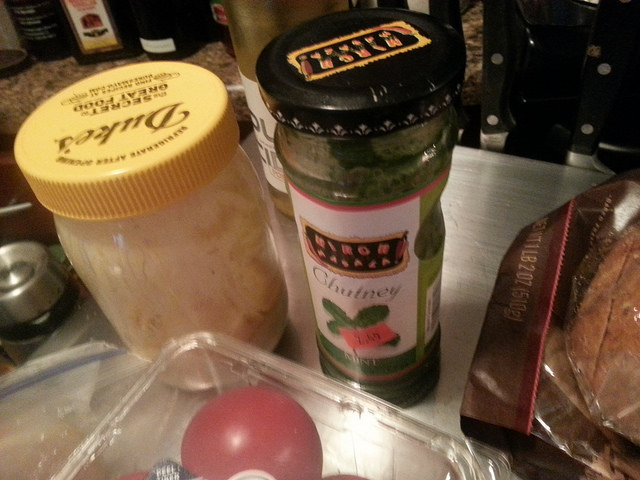
I buy an 8 oz. jar of Duke’s Mayonnaise and take out a couple of tablespoons to make room for adding back, 1 teaspoon (to taste) of curry paste (Patak’s) and a couple of spoonfuls of small capers.  I then use a stick blender to mix the ingredients in the jar.  Refrigerate.

14065646596_c44d0e68f7_z

I think the flavor works well with many sandwich meats and seafood.

Dollar Tree, Subway and the Cheap Tekkie…

Tripod, cables for $2.

I have a Canon digital camera, a PowerShot SD1100 IS Digital ELPH (whatever that means), and I am happy with the quality of photos it takes, ease to carry around, and ease to transfer photos from the camera to my PC or laptop.

The photo above shows two items that I purchased,* to use with the camera.  I bought a small tripod and a USB transfer cable at Dollar Tree at different times.  But, you got it, the total for the two items was $2 plus tax. *[I am not sure if this was the original cable, but I did purchase an extra cable at Dollar Tree for this purpose.]

One can never have too many transfer cables.  You need one at the office, one at home and one in your automobile.  Although, no matter how many cables you buy, you may at some time end up with 3 cables at the office and none at home or in your car, when and where you need them.

The tripod allows me to set the timer on the camera and take this picture

Bill using tripod.
Bill using tripod.

instead of holding the camera and taking this one.

Bill holding camera.

Okay, so I’ll admit that maybe a lens cover would help me take a better picture, but you get the idea.

Now why did I mention Subway?  It is obvious that I do find comfort in food, but about a month ago, as I was eating half of one of their $5 foot-long subs, I realized what a generous sacrifice they were providing in these tough economic times.  Where else could I get a filling lunch for just a little over $2.50?  Surely, they also need to make a profit during this depressive period, but someone in authority made a decision to sacrifice…  and, I appreciate the effort.

Bill

Evernote

Have you ever used Evernote? I wonder if most fac/staff know about it. It’s like Microsoft OneNote, but online and free. Accessible from any computer, of course.

Melissa

Melissa Miller, Ph.D.

https://www.evernote.com/

Thanks Melissa!

This app could be addictively useful.  A free account with 40 MB of usage per month.  It has a web (browser) interface, an installable app on your laptop or PC (that syncs will all the other media) and if you have Internet capabilities on your phone, you can throw away those little slips of paper you wrote your grocery list upon.

The PC app install can add an Evernote icon to your browsers, so if you are on a web page and want to drag and copy a bit of text or a photo and have a link back to it in an Evernote, then it’s quick and easy.

You can create separate “Notebooks” to categorize your posted notes. e.g. Food, Project, Technical, How to…, etc.

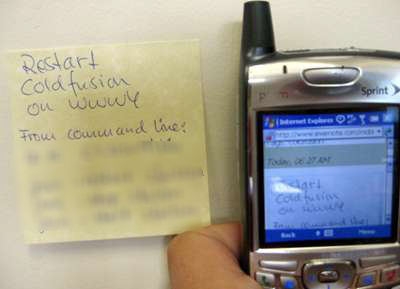
Post It Note on Evernote via cellphone

*Above.  I took a picture of the PostIt Note instructions and uploaded that image to my Evernote site.  I then logged into my Evernote site via my phone and opened that image.  I’ve got the instructions wherever I have cell access.

Here is a Jing presentation that I created while on the EVERNOTE site showing some of the interface and features:  http://screencast.com/t/MWQ4YjNkNTA

 Bill