Although I have worked as a Computer Consultant with Fayetteville State University for a little over 15 years, I do not think of myself as a computer geek. I do “play” with a lot of software and hardware that should make me realize that I am a “geek”, but it just hasn’t sunken in yet.
For instance, I was looking through a “Top 40” (or 45) of free apps for the iPad/iPhone on Friday afternoon. It was a countdown and when I reached #2, I had already installed about 6 or 7 new apps to my iPad. I say, “My iPad,” but it’s not actually mine. It is an iPad that was given to me, on loan, in order that I might test it out especially regarding the Blackboard Mobile Building Block. Chet Dilday has an iPad Project and this was one of the units from that work. It is a WIFI capable, but not 3G, system which means that when you get out of WIFI range, you’re not linked to the Internet, so the GPS and real-time mapping functions don’t work then.
I found that Blackboard was willing to provide either an WIFI iPad or an Android phone to me during the Mobile Building Block test period. Since I knew I was going to get an iPad from Dr. Dilday’s project, I asked for an Android device (whatever that might be). I wasn’t expecting much from the Android device, and the iPad was still in its early release, marketing frenzy hype. But, quickly I found that the HTC Hero (Android 2.1) was an exciting little piece of technology.
Let me interject that I’ve never owned a cellphone. I’ve used two cellphones extensively, but both were provided to me via work. The Hero came to me at a time, just at the end of 5 months of self-imposed emersion in the new Web 2.0 technologies. This emersion process, at least at the beginning was painful. It’s not easy for a 56 year old man to learn about, begin to incorporate & embrace some of the new ways of doing things. And, I am not a social animal, or not a naturally social animal and I enjoy my privacy.
So, getting the Android and iPad devices and beginning to get a real hands-on feel for Web 2.0, especially as it might be used in higher education, became “fun.” Frankly, though I don’t use the cellphone as a phone. It’s all the other neat, “hook me to the Internet” applications that I enjoy: email, news, simple Blackboard admin functions, recording live video while I’m out, posting to my blogs, either text or audio while “on the road,” etc.
If you had asked me if I wanted a GPS device, I would had said, “No.” But, if you ask me now if I have enjoyed using the Sprint Navigation (GPS & Map) functions on my phone, “Darned straight I have!” I even broke down and bought a phone mounting unit for my truck, and a USB power unit that plugs into the cigarette lighter so that I can recharge the phone while I’m out driving.
So, the #2 free iPad/iPhone app was “AirVideo.” You use the program to serve videos from your PC or Mac to your iPad or iPhone. It was simple and quick to install, a free app on the iPad and then a free “Air Video Server” app to run on my PC (or Mac, etc.) The free version limited the number of video files I could list in a folder, but “out of the gate” I was able to stream, without a hiccup, both MP4 and FLV files. You can actually download your YouTube videos in either of those formats.
Why might I want to stream video from my PC to an iPad? Well, video length might be one reason. YouTube videos are limited to 10 minutes, so you could stream an hour video from home.
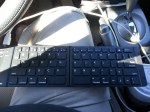
On Saturday, I drove up to Smithfield, NC. I ate a little, shopped a very little, and stopped by the Johnston County Library in downtown Smithfield to see if I could hook up to their WIFI (if they had it, which they did). Okay, I see that I am “geeky,” because I walked in with my iPad and the Apple Wireless Keyboard and asked if they had a local history section, and if they had WIFI. I was directed upstairs, and told, “Yes, we have free WIFI.”
I saw nothing interesting, to me, in the local history section and so I went to a nearby table and sat down, noting that the chairs were simple, but stylish. I started the iPad and hooked to the Library’s WIFI, and then started the AirVideo app. It found my Air Video Server instance, which was running on my laptop in Fayetteville, and listed the two folders that I had made available. There was my SIFAT video (of my time at S.I.F.A.T. in Wedowee/Lineville, AL back in 1983/4) and it started playing with just a little hesitation.
I pull out my phone and start the USTREAM broadcast app, and here I am recording live video of me using the AirVideo app on my iPad, and the video that is playing is something that I recorded many years ago on a VHS Camcorder (converted to digital video a year or so ago). And, part of the video even shows the PC technology that was “state of the art” at that time, an IBM PC with a 10MB Winchester hard drive with a monochrome green monitor.
So, the Library chair was interesting to me and I looked for a manufacturer’s tag on the back. I attempted to turn the chair over, to look on the bottom, but because there were a few other Library patrons nearby, I chose a more discrete method of looking for the tag. I switched to the camera app on the phone and attempted to take a picture of the bottom of the chair. There was a 2 second delay from when you pressed the trackball button to take a picture, which was perfect for giving me time to get the phone positioned beneath the chair. The first photo was fuzzy, but there was a visible tag. The second photo was fuzzy also, but readable enough to get the first 5 or so character of the manufacturer’s name. I went to the Google Search app and started to enter the manufacturer’s name and the search suggestions popped up a name with “chair” appended to it. That was it, I had the chair manufacturer and I googled for their website.
I looked through their online catalog and did not find the exact chair and began to think that this might have been an old style that maybe the Library got at a discount. I then thought to see where a showroom might be located. To my surprise, the only showroom in the whole United States was in… Smithfield, NC. Must be the distribution point for America. I entered the address in the Google Navigation window and found that the showroom was only a few miles from where I currently was.
[Got sidetracked… with work.]




 One thought would be to take it with you and have a class outside. If you can figure out how to use your mobile device (iPad / Android phone, etc.) as a microphone, then you could put your wireless speaker at the “back of the class” and that would make it possible for your many students spread out under trees, etc. to hear what you are saying… not just those up front. I guess you could use this indoors for the same reason. Place the portable speaker at the back of the class to help students there hear as well as those at the front of the class.
 Bill Gibson, II